
Forum Replies Created
-
AuthorPosts
-
 Al exKeymaster
Run UINSTALL.EXE in the UW directory, and select Soundblaster Pro for both music and sound effects. ?
Al exKeymasterGog does weird stuff with its installations sometimes.
Do the following: rename the file ‘game.gog” to “game.zip”, open it. Then extract the UW folder, and copy it to your phone.Al exKeymasterGog does weird stuff with its installations sometimes.
Do the following: rename the file ‘game.gog” to “game.zip”, open it. Then extract the UW folder, and copy it to your phone.Al exKeymasterFYI, the free download from Bethesda should already be patched: https://elderscrolls.bethesda.net/en/daggerfall
Al exKeymasterIf it’s a regular DOS patch, you should be able to install it in Dosbox without problems.
I don’t think this patch version is really important, though. I have it installed, and the patch notes only say:Patch Fixes, version 1.07.213
=============================FIXED:
* Fixmaps and Fixsave have been updated to work with any install size.
Fixmaps will require that the file MAPS.BSA be installed on your
hard drive as it is modified by the program. If this file is not
found, you will be given the option to copy it over.Al exKeymasterLong press on the game you want to export, follow the onscreen instructions.
The exported file is in /sdcard/MagicBox/Export
It’s a simple zip file, btw.You can upload it to any cloud service you lile, e.g. Google Drive, and share the link.
Al exKeymasterVery good! ?
I’d vote for option #2, because it minimizes the hassle. #1 would require to set up every single combo widget, while in mapper options, you can simply keep adding keys.Al exKeymasterSorry, that was a feature request for Tony, the developer. I realize it was a bit misleading.
Atm, there is no widget that will turn the Voodoo mapper on/off, but it never hurts to ask. Most of this app’s features came to life by people asking for them. ?Al exKeymasterIt’s exactly the same.
Al exKeymasterWill do that…?
Al exKeymasterRegarding the mouse thing, check this out. I’ve combined the menu screen and the game screen. You can clearly see how the game screen is using less screen space, leaving black borders at the top and bottom. This causes the absolute mouse being off.
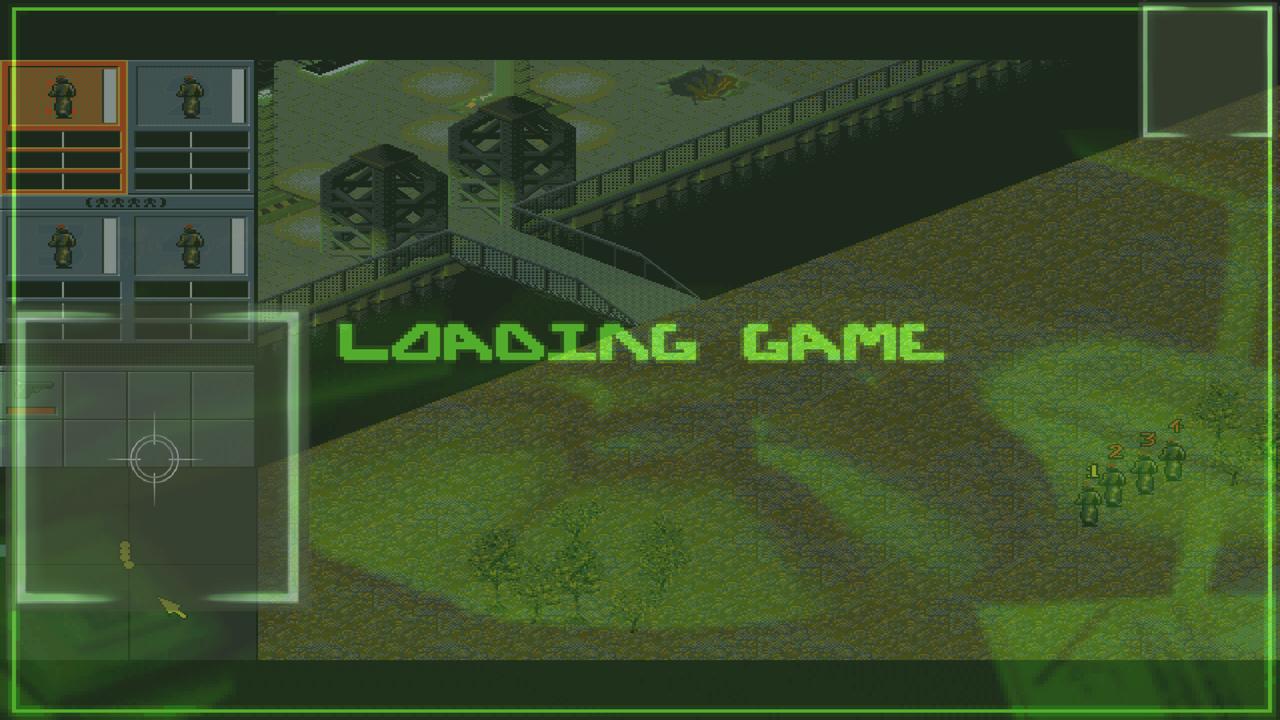
Funnily, the relative mouse is working fine, even though its clicks in the stream window are translated into absolute mouse clicks.
Al exKeymasterYou can remap the number key row to F1-F12 with Voodoo control, but then you won’t be able to use the number keys.
A solution would be an additional Deadly Strike option, that will turn the Voodoo mapping on/off.
And if you could in addition map this widget to a key on your external keybard, there’s be a perfect fix. Don’t know if this is possible, though.Al exKeymasterCool layout? Or “cool, now I know how to fix the mouse in Syndicate”? ?
Al exKeymasterWhich means, if we could change the relative position of the absolute mouse reference point, this could be fixed.
Al exKeymasterThat looks really ingenious. ?
Syndicate is weird. They’re obviously using the whole screen, but displaying the game and mapping the mouse only onto parts of it, hence the black borders on top and bottom. Now, Dosbox doesn’t know better, of course, and wants to use the whole screen. That’s why it always goes off target, because no matter what I use for manual mouse correction, it always calculates from the top left corner.
-
AuthorPosts
