Forum Replies Created
-
AuthorPosts
-
 adminKeymaster
Hi,
when you start donated version then in left bottom corner is crate. This help you import existing layout. For duplicating existing layout use long touch on game configuration and in right bottom corner is button for additional menu 😉
adminKeymasterHello,
thank you for joining our forum 🙂 Can you explain this issue a bit more please? I can’t exactly image what you mean.
adminKeymasterHi, and what game are you playing? I can look at this it later. Maybe exported profile can help.
adminKeymaster1.Do you have enabled swipes/longpress? these gestures will delay mouse actions.
2. Yes, it is on to do list. There are missing things which cannot be implemented to current control scheme. Unfortunately this is one of them. I want start working on new control scheme in on near future.
adminKeymasterHi,
thank you. I really appreciate your opinion and thank you again for support.
Hmm..Really I don’t know what to say 😉 People are in two groups. The first group likes this one..let’s say funny or unconventional look. Second group hate it…and I know it…
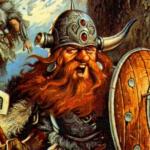
But I did not want make only ‘piece of software’. Magic dosbox is door to another world. Full of fantasy, old memories and I think these icons fits.
I will think about it. I cannot rewrite full interface. But Icons and texts can be parametrized.
This is interesting topic and maybe more people could write here their opinion…
adminKeymasterSo in version 20 were added functions for aligning selected widgets to first selected. You can align width and height too. It is still necessary to add input where you can write manually widget size and position?
Function for hide/show all widgets is already implemented and will be in update 22. Now you can use combo with phantom presence to hide buttons.
I finished function for duplication widgets too.
adminKeymasterHi,
Thank you. I am happy that it works
Tony
adminKeymasteryes, it takes some workaroud, but should work. There is no direct input for that, but try this:
Put first mouse touch widget on screen and edit it. Set duration permanent and action move. Confirm and go to play mode. Press widget. Now you changed default mouse action to move. You can add additional mouse touch widgets, one for left and second for right click. They can have duration temporary or permanent. Depends on what you prefer.
Hint : deadly strike has action for toggle mouse events
Must go sleep now, it is too late, but will look here morning
adminKeymasterHi,
thank you. But can you explain it a bit more? I did not play ufo long, so i can’t imagine well the problem…There are various settings which may help.
Tony
Edit : You need to do mouse move on touch, instead of click?
adminKeymasterHi,
Magic dosbox is not automatically killed when is minimized. It depends on your Android settings. Try look at developer settings. There should be limit for background processes.
adminKeymasterGreat, I love KKND 🙂
adminKeymasterAahh, I understand now, something like is in mouse widget “do mouse up on next touch”. Will think about this. This can be done.
adminKeymasterHi,
I’m working on new design mode which allows a lot of these function. Probably I split the update to 2 updates due a lot of work.
>-Add a function to set the size value of a button
You can change size with floating menu, but in new design mode you will be able set size manually>-Add a function to copy a button
will not be added to next update, but will be added>-Add a function to set the position value of a button
Position and size of widget can be changed in design mode with floating menu. But in new design mode will be this much more user friendly>-Add a function to set the key of a button to NULL, >because some games need STRG+ALT left mouse or other
You can set key to STRG and check on alt, this does not work?>-Add a function to automatic hold the button until i do a leftklick or press the button twice (in c&C you can hold STRG for force attack or STRG+ALT to guard target automatically)
This will be added with new control scheme>-Add a funktion to copy a hole layout to a other game
You can duplicate profile, but I plan list widgets from other profile and you can import them to another one.>-Add a function to a button to show and hide other buttons
its on todo>-Add a function to let a button blink by activation
No, this will be not soon, it can be done, but at cost of battery. Emulation is heavy on battery, so we won’t use some functions. Maybe there will be added flag which can enable this, but with big warning>-Add a function to a button by holding them
Please can you explain that a bit more?adminKeymasterHi, will look at this. Thank you for reporting.
adminKeymasterHi, adding custom widget background is a bit tricky. There is not direct input, but can be added this way :
1. In game : when you edit widget, there is ‘+’ button near image. This will add custom foreground image. But you will be able to pick this image from backgrounds too. I will add user input in one of next versions.
2. You can add this manually. Find folder Magicbox on disk. There is another folder Games with file games.xml inside. Check your game ID and than in folder Data find folder with this id. There should be folder Images (if not create it). Copy your images there. !Important! Files must be png and name must match this rule : Must start with “user_”, example : “user_imagename.png”. This way omits image size restriction (192x192px), but it is strongly recommended to not use big images.
-
AuthorPosts